With all-new system architecture, performance improvements, a brand new interface and over 100 new features, Yodie 6 completely redefines what Professional Relationship Management software can be. And with a whole suite of tools dedicated to customisation and supporting growing businesses, Yodie is more personal and more adaptable than ever before.
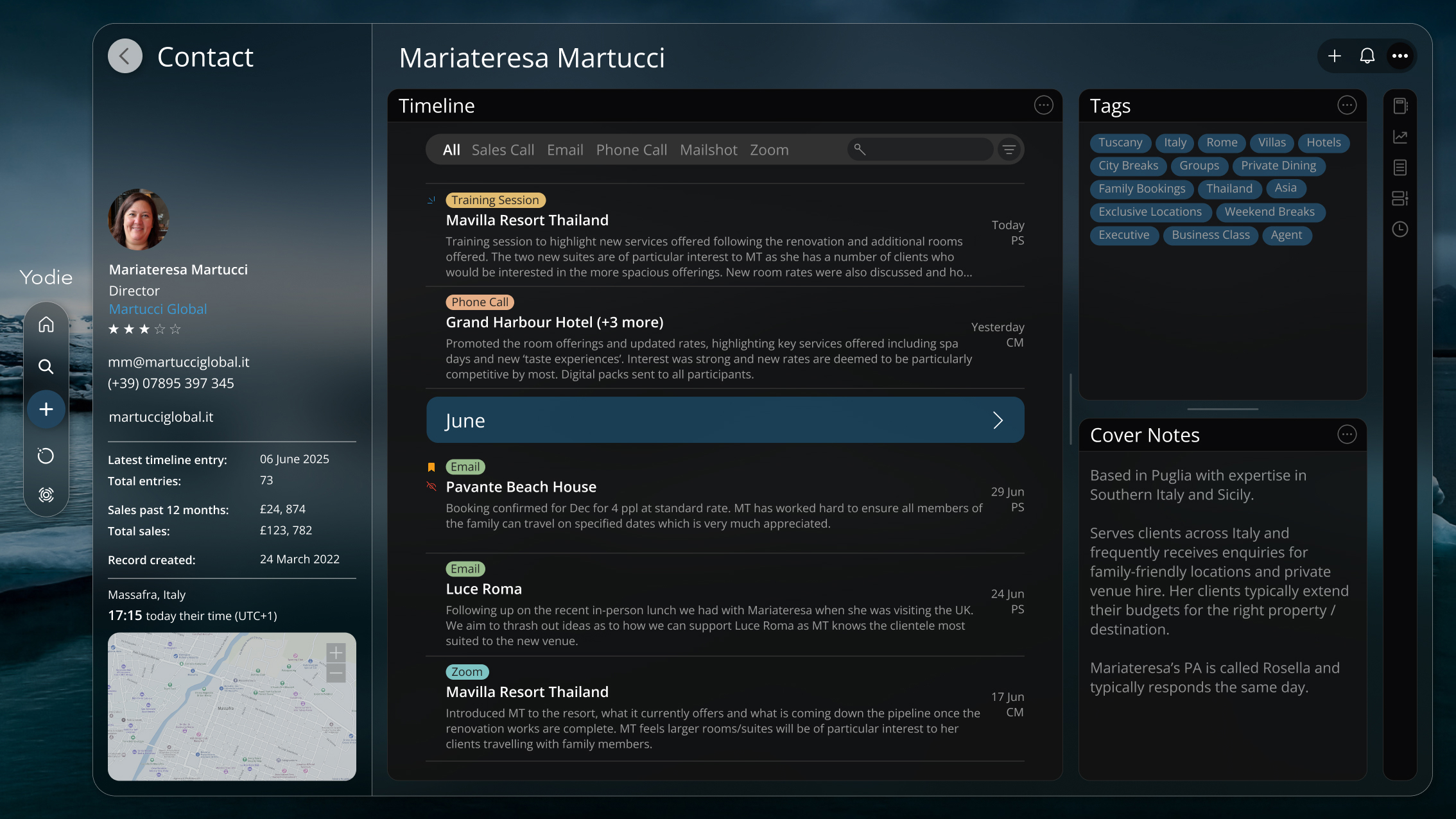
Whether you spend minutes or hours a day with Yodie, we want every second to be worthwhile and enjoyable. Yodie’s stunning new interface brings a breath of fresh air to your work day by providing a clean, calming environment for productivity.
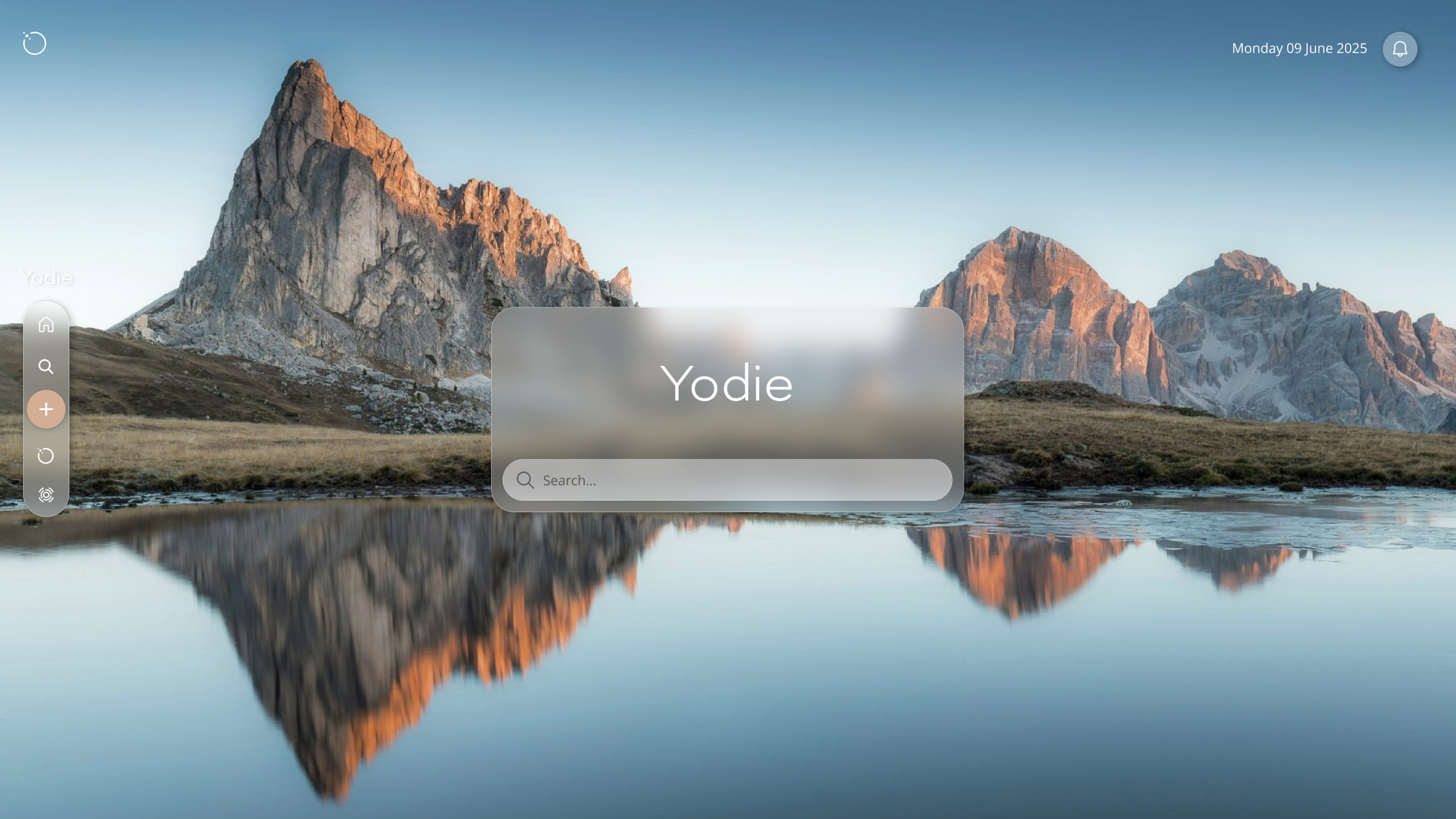
Glass textures help create a sense of space and give you plenty of room to think while accent colours and logical layouts make finding your way around easy and intuitive. This is the Yodie simplcity you already know and love, just a little more sophisticated and refined.
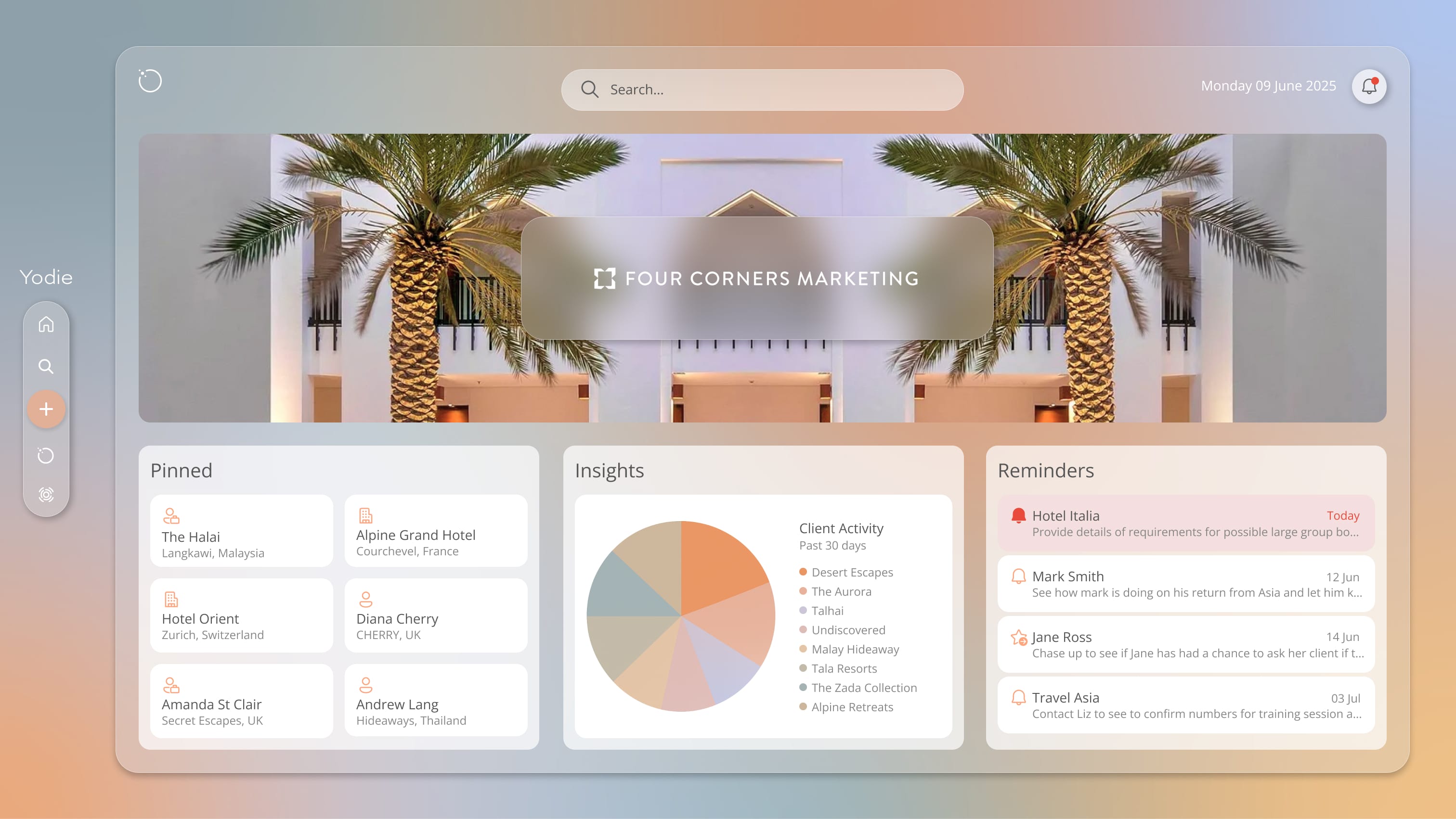
Tiles put all your data into logical sections making everything easier to find and work with. Tiles work independently from one another and come with their own contextual menus and features that correspond to the type of information they provide.
And the best bit … because of their independent nature, tiles can be moved, expanded or collapsed and switched on or off according to your needs. This means each person in your organisation can tailor Yodie to their own workflow and see only the information they need. No clutter. No fuss.
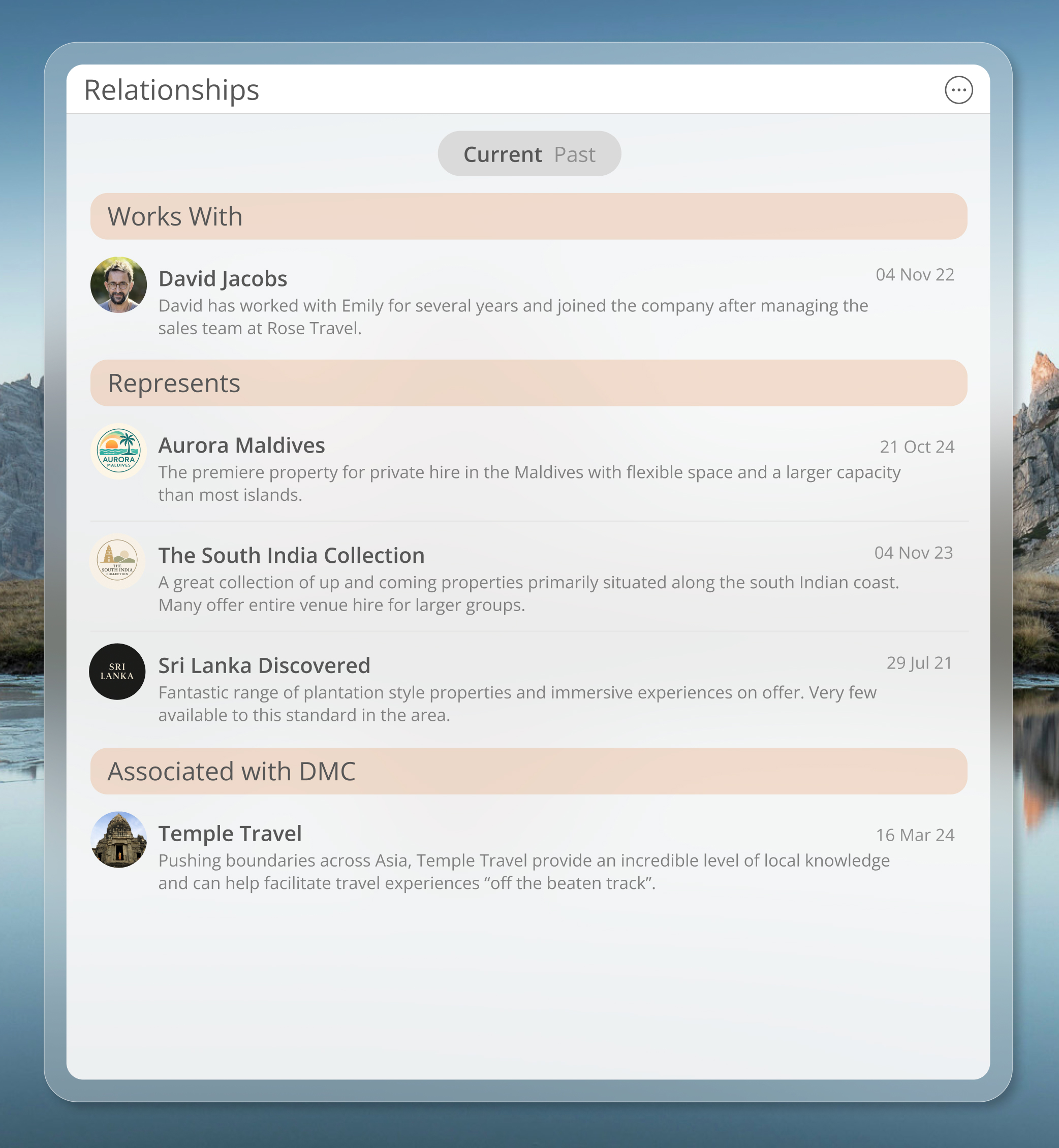
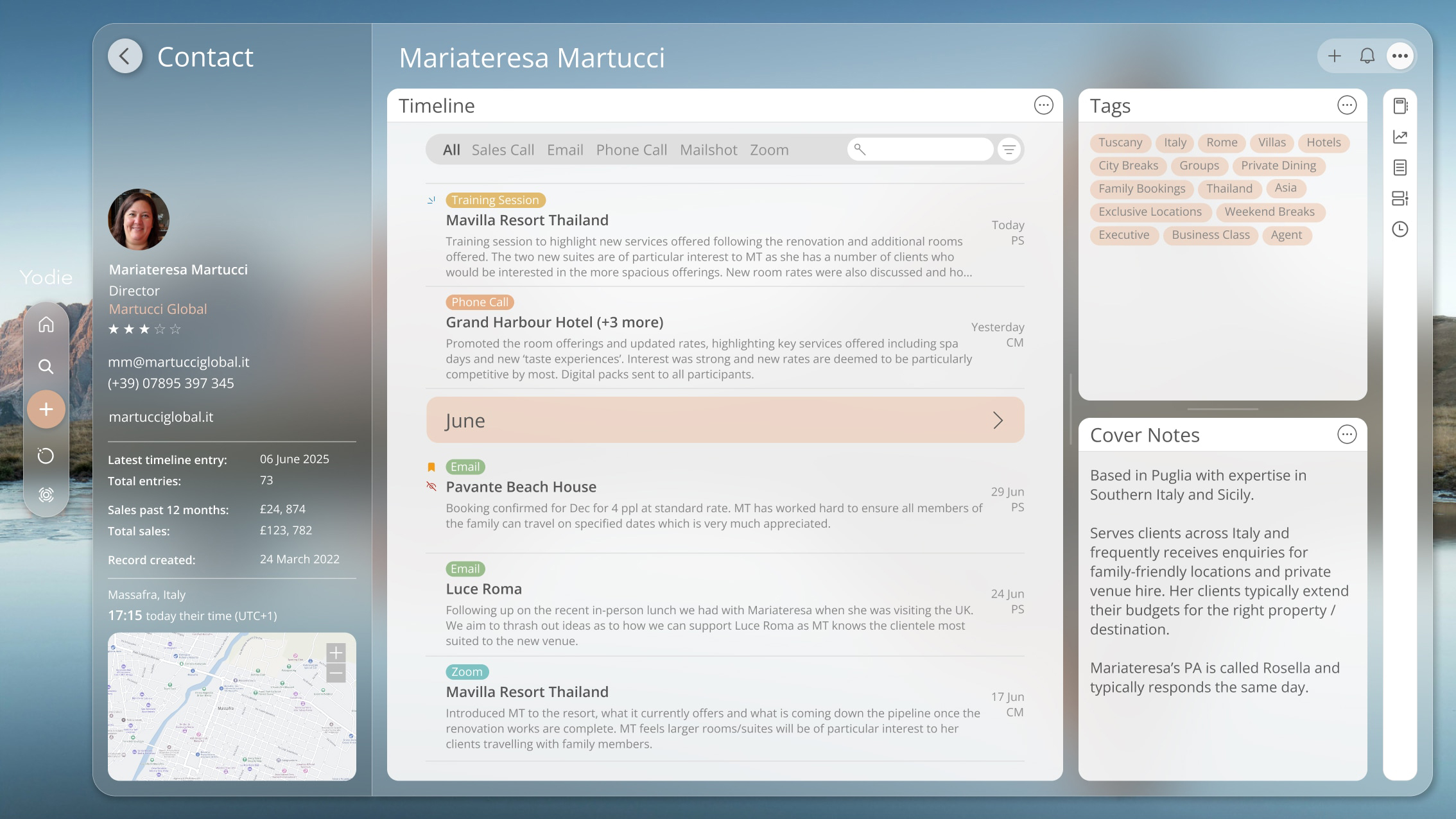
Overview screens have been completely redesigned in Yodie 6 to put the most important information front and centre and make better use of your available screen space. Helping to reduce clutter, three primary tiles group your data into logical sections and if you want to focus on a particular tile, simply drag its border to make it bigger.
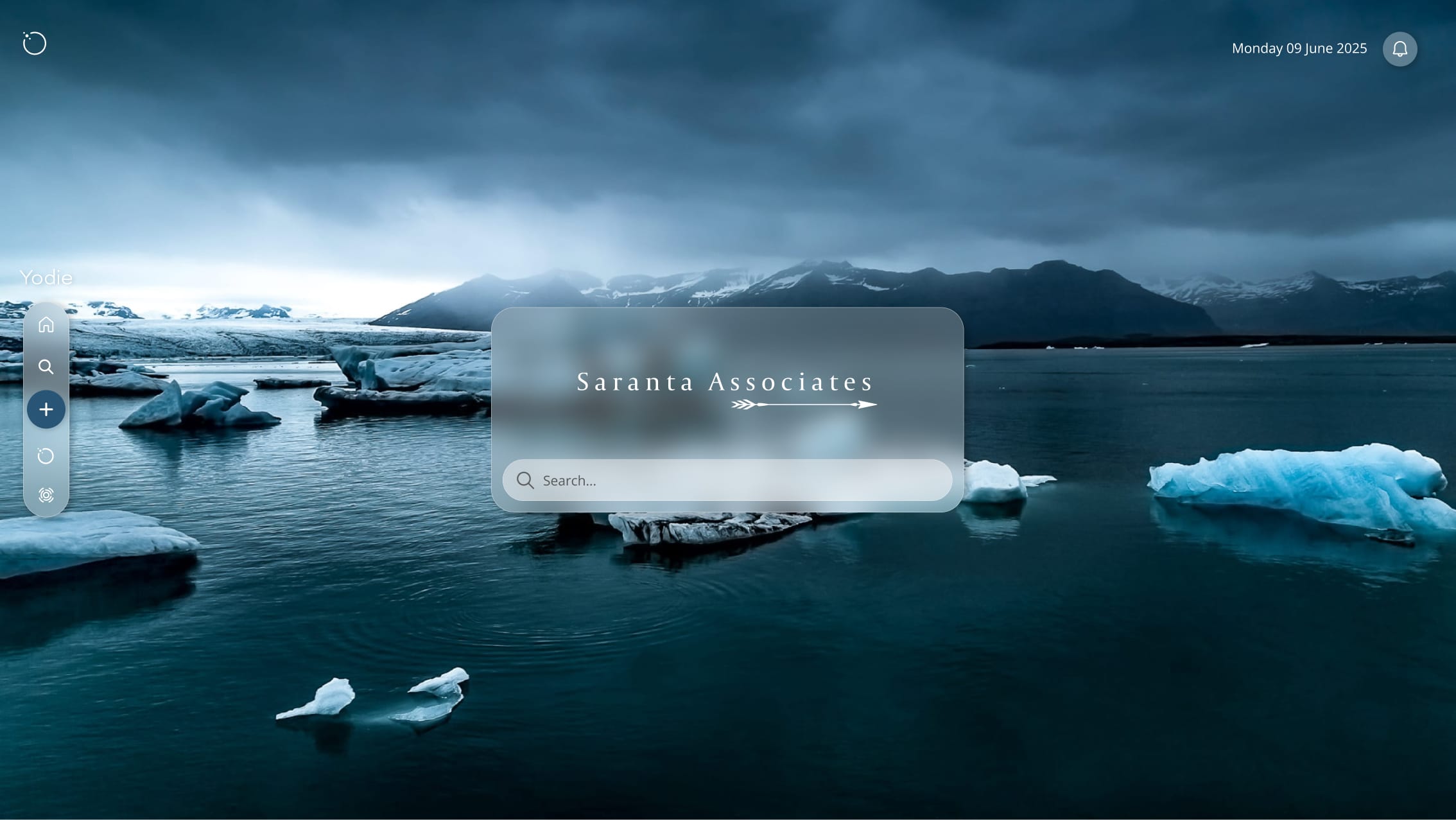
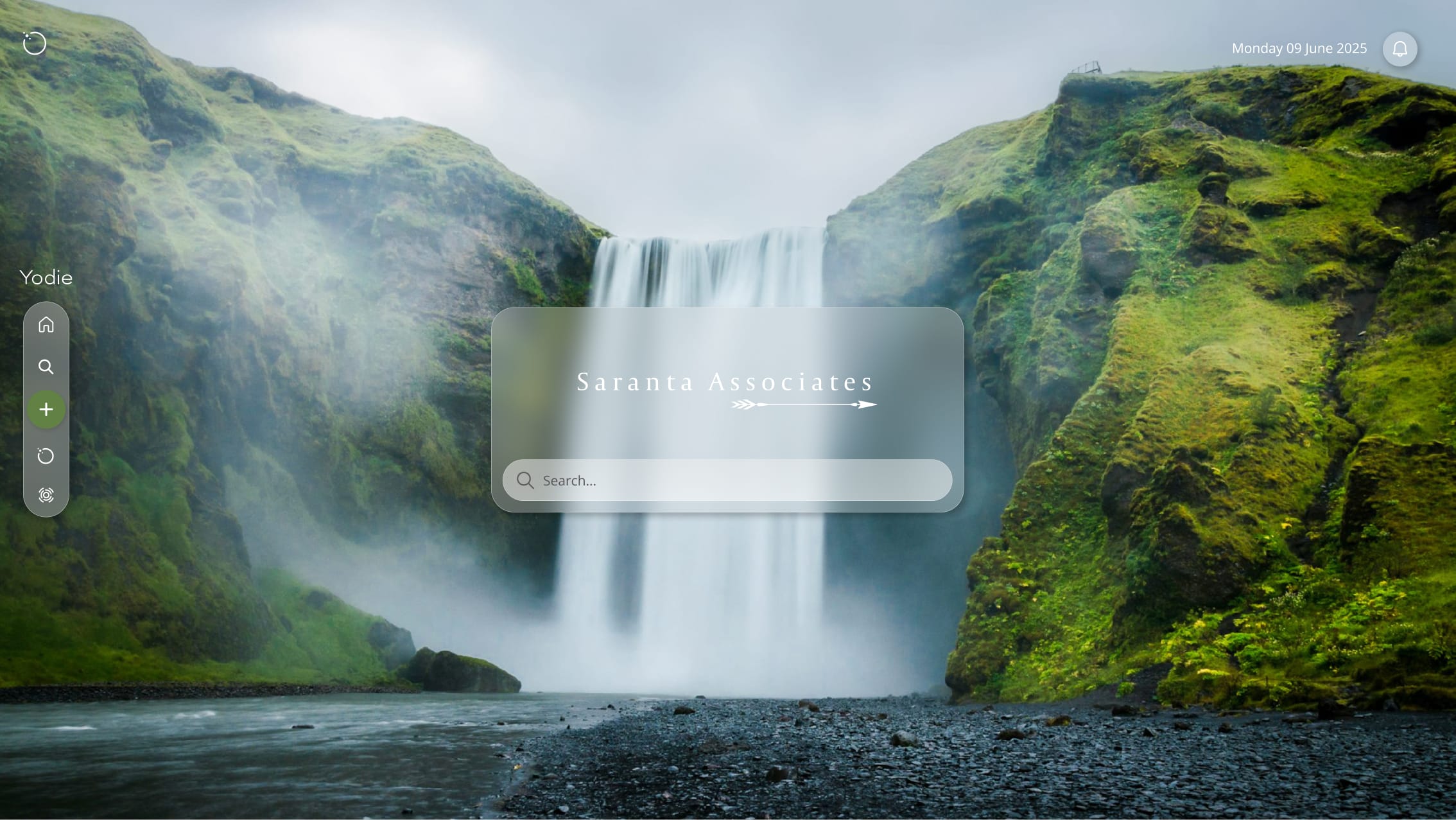
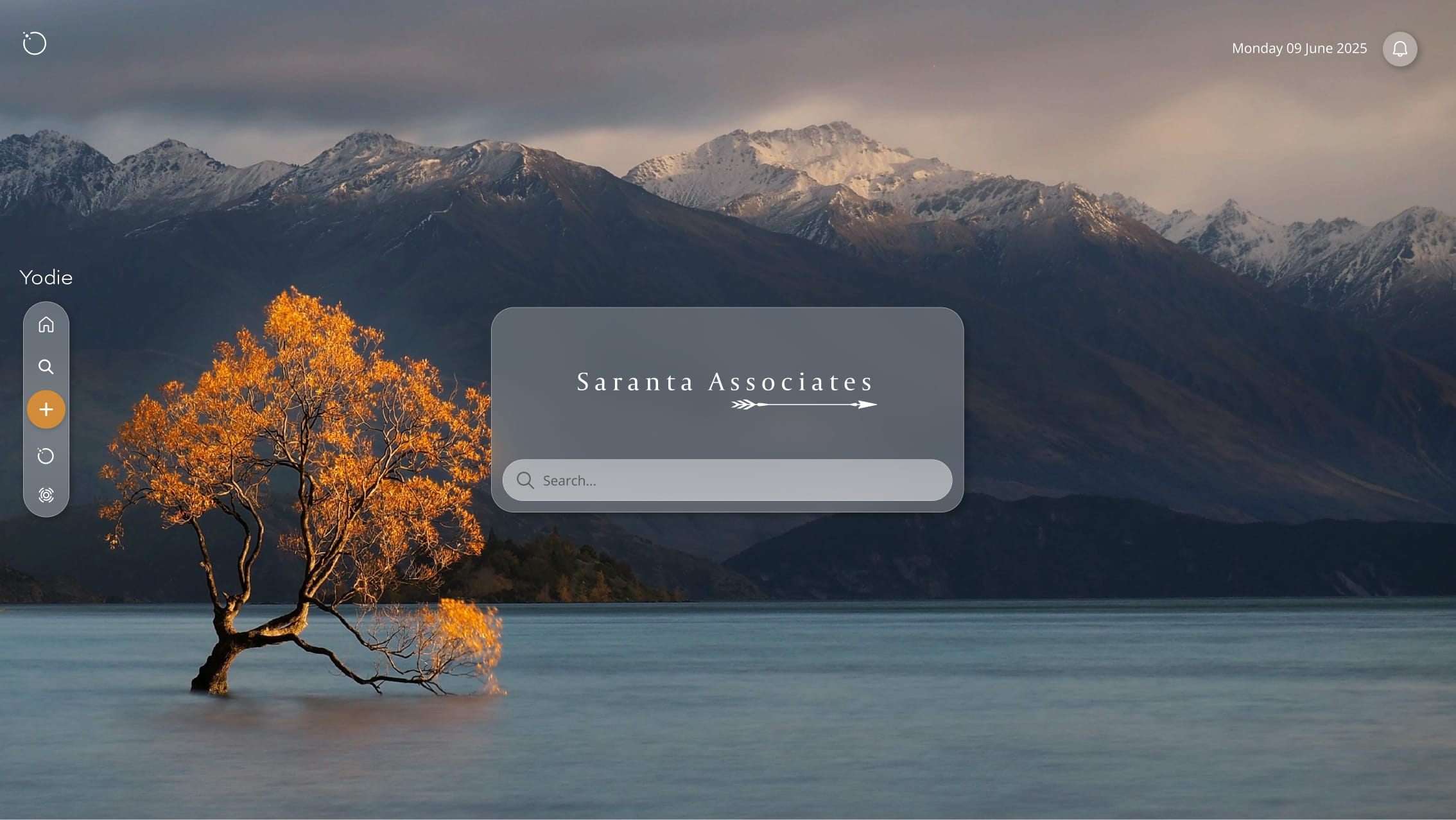
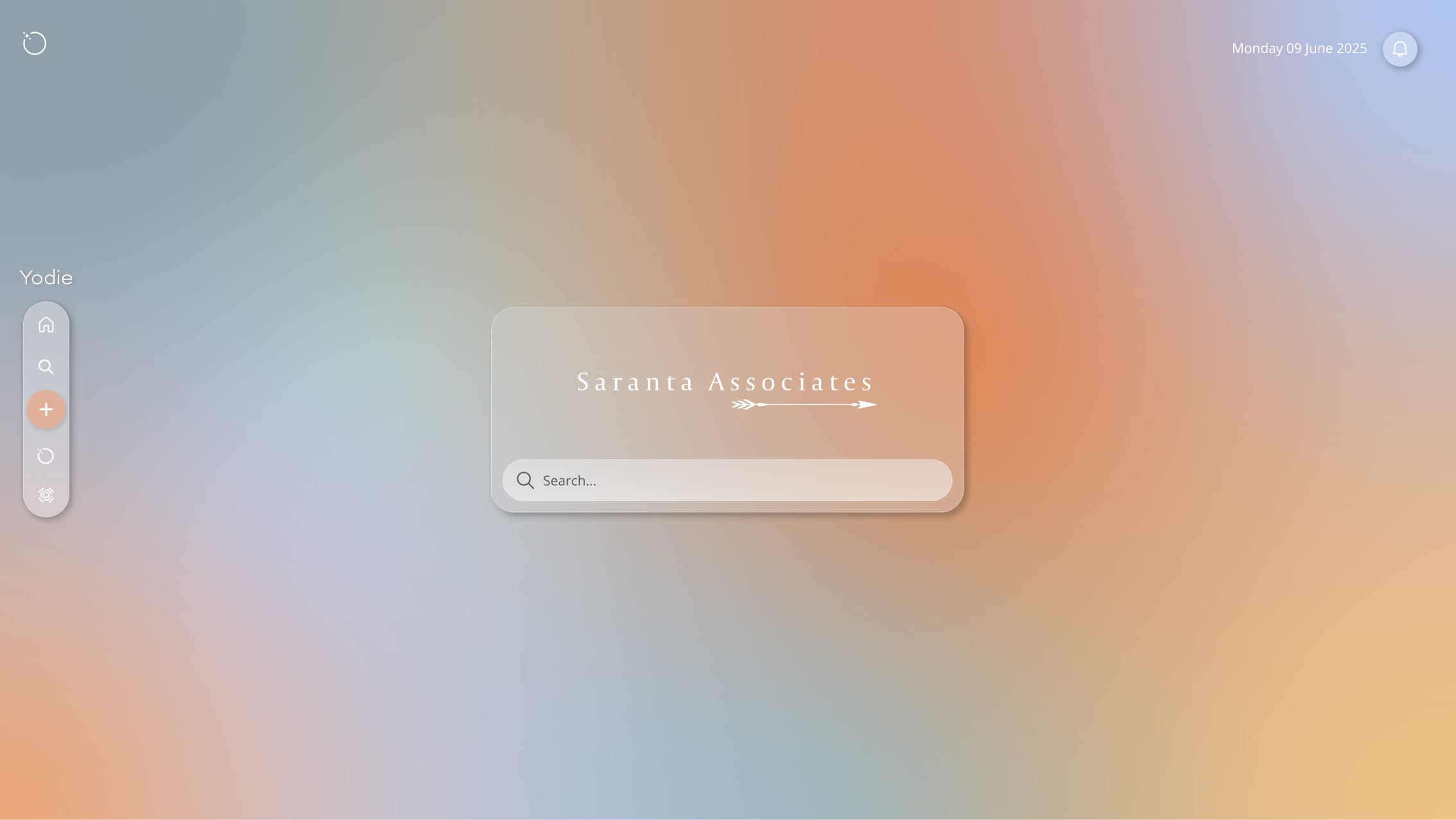
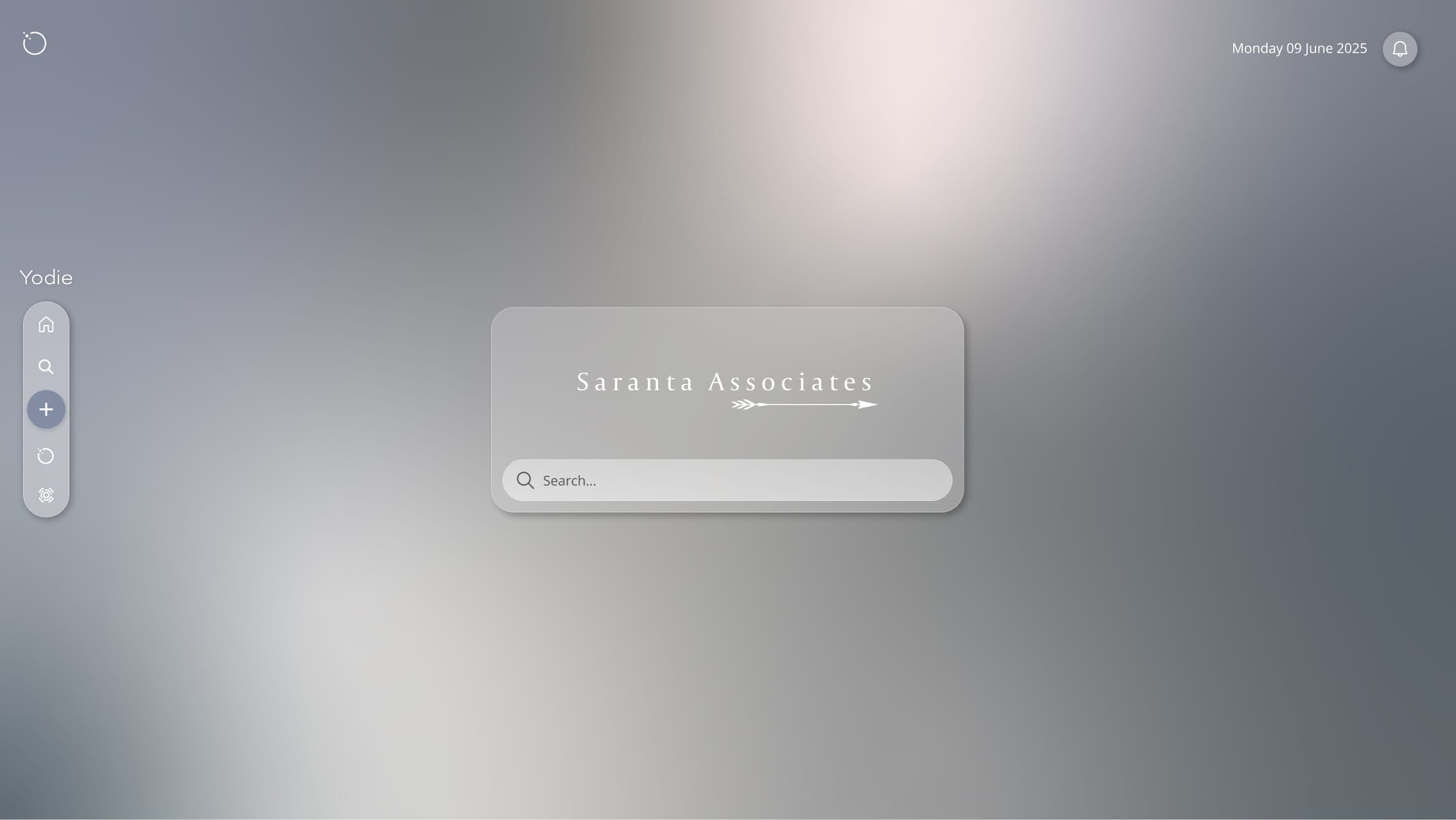
From warming desert or cool graphite tones to stunning vistas from across the globe, all-new immersive visual themes enable you to completely change the look and feel of Yodie to match your brand …or your mood.
And for night owls, Dark Mode automatically sets the late-night vibe by lowering screen brightness, helping you to stay focused in low light environments.
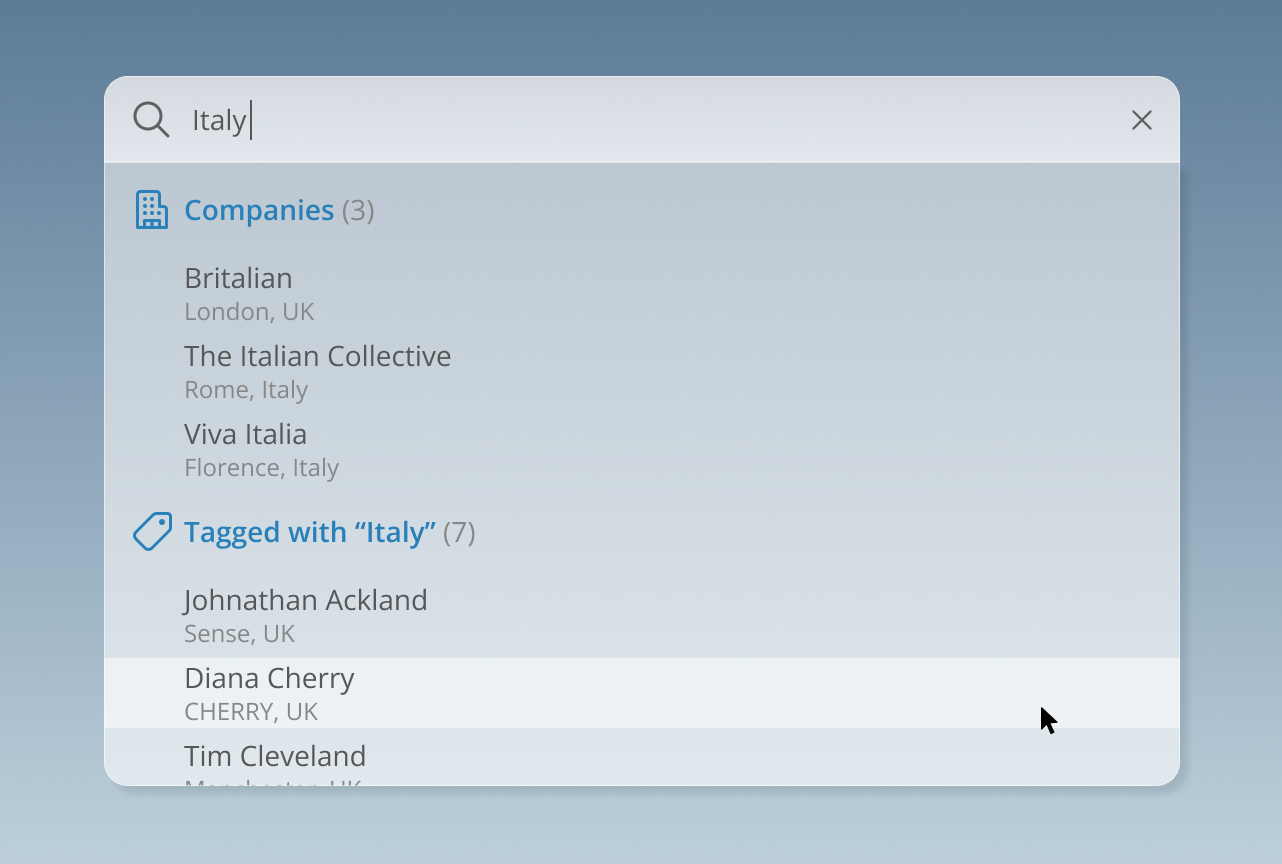
Whether you’re just getting started or you’re a Yodie power user, Universal Search provides a powerful new way to navigate Yodie at lightning speeds. From contacts, hotels, clients, products, services and more, Universal Search helps you locate what you’re looking for quickly and easily.
Simply call up Universal Search from any screen via the menu bar or press Alt/Option + Y on your keyboard and begin typing. Search results appear as you type and automatically narrow as you provide more information. They’re visually categorised and can be customised to show only the information that’s most useful to you.
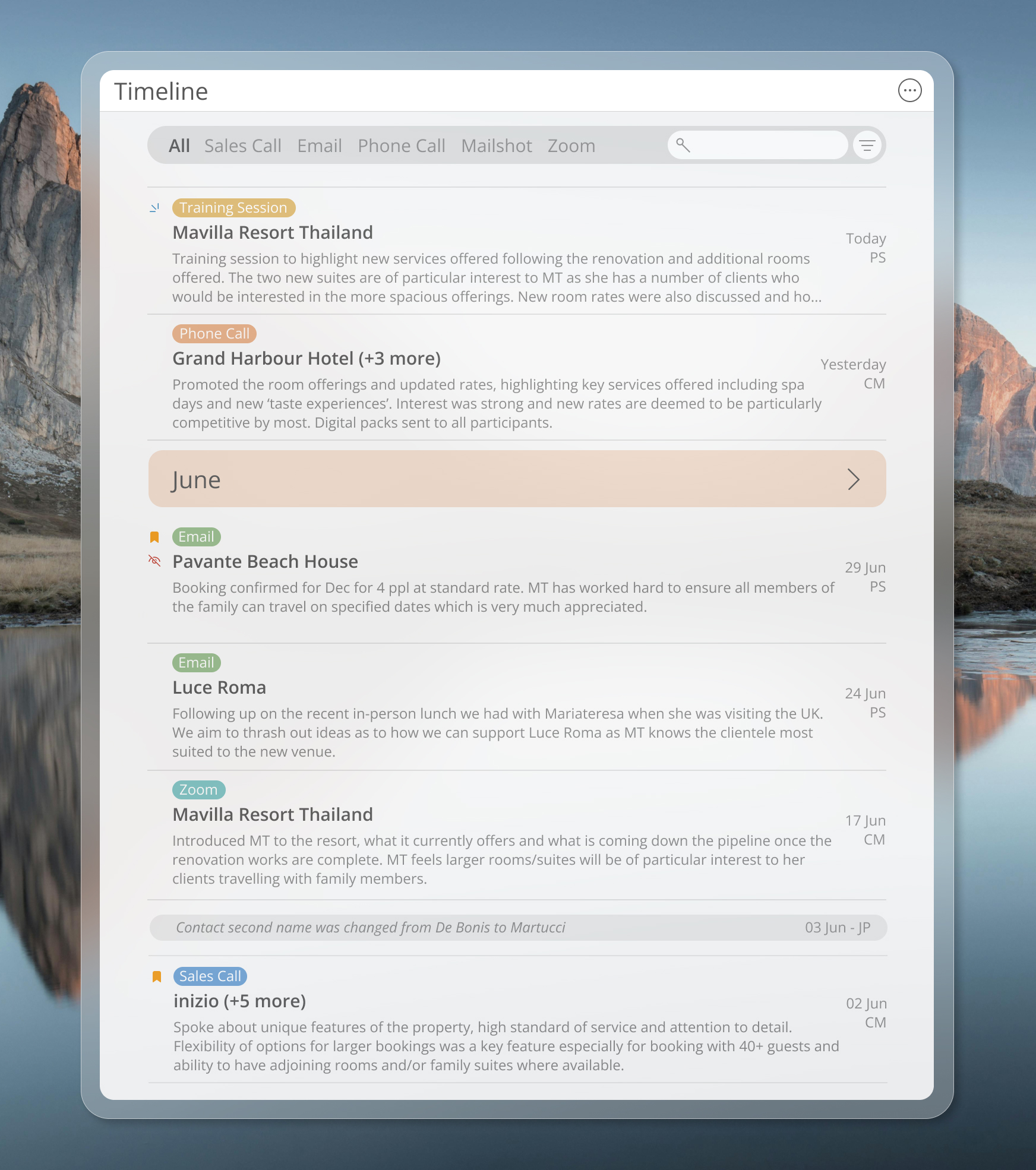
At the heart of Yodie lies the new Timeline tile. An evolution of the interaction and activity lists you’re already used to, Timeline captures even more information about your meetings, emails, Fam trips, hotels, bookings and more.
Entries can be colour coded so they’re easy to spot at a glance, the list view can be expanded to see more information on screen and edits that take place elsewhere in Yodie, such as name changes, are automatically entered into the timeline so you always have the full picture.

With advanced filtering you can now filter entries by type with just one click, select date ranges you’d like to take a closer look at or specify entries made for a particular client.
Inline month markers not only make navigating timelines much easier, they also expand to provide useful data summaries for that month.
For too long it’s been the norm for smaller businesses to adapt their workflows to the predefined structures imposed by their chosen software. We think this is all backwards and that good software should adapt to you - not the other way around.
Recognising the intricacies and nuances of working in the luxury travel and hospitality sectors, we created Custom Timeline Entries so you can capture exactly the data you need without the limitations of predefined forms and processes that make no sense to your role, your business, or even your industry.
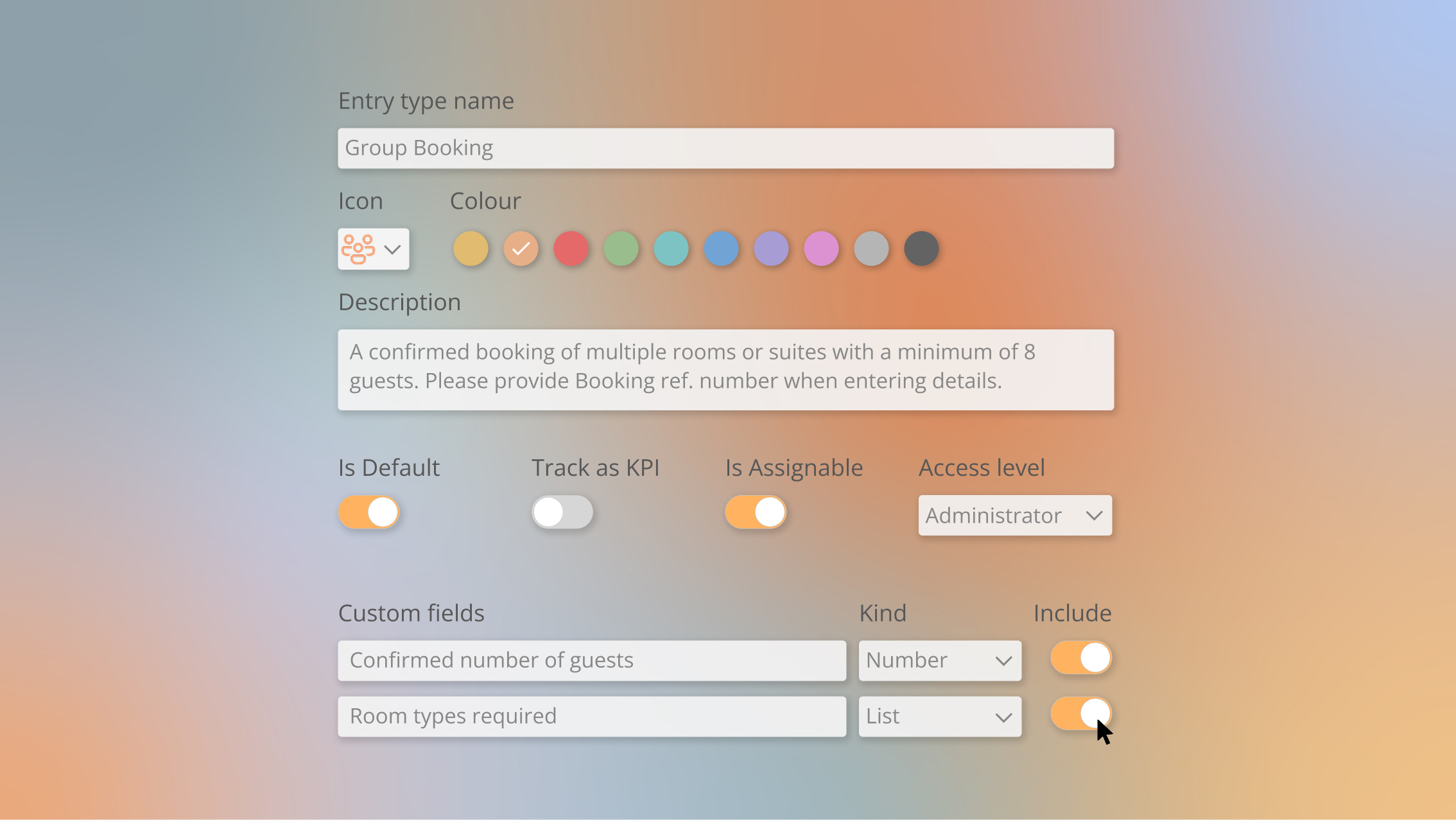
Yodie 6 comes with a number of ready-to-go entry types tailored to the luxury sector but if you need something a little more specific it’s easy to add extra fields or remove the ones you don’t need.
You can name fields, specify the type of data you want to collect and choose whether a field is compulsory. You can even provide tooltip descriptors to help ensure the right information is entered and reorder fields for the perfect workflow.

With the flick of a switch, tags, relationships, last entry date and even phrases within timeline entries can appear in your search results. Helping you find exactly what you’re looking for every time.

With Yodie 6 you can now add colours to your Timeline Entry types making them easier to spot at a glance. Yellow for meetings, Blue for Fam trips, pink for Newsletters, you decide.

In combination with customised colours, you can now select an icon to depict the type of information you’re entering. Icons help you identify different kinds of data across Yodie and also appear in search results.

Designed for businesses with more complex needs, Precision Entities offer an unparalleled level of customisation and enable you to manage and track relationships between any type of data at a foundational level. This means you can move beyond Contacts, Clients and Companies for example and create a number of more precise entities that make better sense to your business model such as Products, Services, DMC’s or Venues.
We’ll work with you step-by-step to determine the best data structure for your business and whether you need Precision Entities. If you do, we’ll create them for you as part of your Yodie 6 onboarding process so everything’s set up and ready to go from day one.
All at no extra charge.
Whether you’re a savvy sole trader or a thriving organisation with multiple users, Administrator Control gives you more autonomy over your Yodie data and administration than ever before.

Yodie 6 brings comprehensive user management to Administrators for the first time. Add new users, upload profile images, set access levels and more from one convenient place.

Instantly revoke user access to Yodie with just a few clicks, or, with Scheduled Departure, Yodie can revoke a user’s access at a date and time you choose.
If certain entries in your Yodie database are particularly sensitive and you need to restrict access to them, Data Vault provides an extra layer of security. You can assign specific records or even entire categories of information to your Data Vault and, once enabled, only users with the highest access level can see and edit that information.

Perfect for newbies, Pre-flight mode creates a replica of your Yodie database so new users can explore, create new entries and edit information without affecting your master data. When they’re ready to take flight, simply flick the switch so they can begin working with your live data.

With Yodie 6 you no longer need to remember separate Yodie usernames and passwords as you can now sign in with your existing Microsoft account (or create a new one for free) and take full advantage of the improved security provided by biometric passkeys.
See your next billing date, view invoices, manage Yodie licenses - all without having to contact Yodie HQ.

Designed to be helpful yet unobtrusive, Yodie Intelligence subtly assists you by capturing important emails, summarising complex text, surfacing important data, and more.
Yodie Intelligence is a form of Artificial Intelligence (AI) engineered at Yodie HQ specifically for complex workflows like yours. It understands the specific needs of the luxury travel and hospitality industries and is designed to provide deeper insight into your Yodie data.
Any features powered by Yodie Intelligence are clearly marked with the Yodie Intelligence symbol and you can also switch specific features on or off. And, if AI isn’t your thing, no problem, you can disable all Yodie Intelligence features with the flick of a switch.
Coming later this year
Harnessing the power of Yodie Intelligence, Lume provides a truly human-friendly and intuitive way to explore your Yodie data. Whether you’re wondering how many active leads you’re pursuing, when you last spoke to your top client or how much a specific contact contributed to sales last month, just ask Lume.
Yodie was designed from day one to accommodate all the intricate details and nuances unique to luxury travel representation and hospitality.
Whether your computer sports a Windows, Mac or Google badge, Yodie 6 is web based and works on all major platforms, including tablets and mobile devices.
Yodie 6 integrates seamlessly with Microsoft Power BI, enabling you to transform, visualise and report on your data with Enterprise-level power and precision.
Available from September 30th as a Free Upgrade for existing users.
Beta access available to selected users from June 16th.
More new features and improvements will be announced over the coming months.